Home / Lead inbox
Feature · working today with test businesses
Every lead in one list, with status and notes.
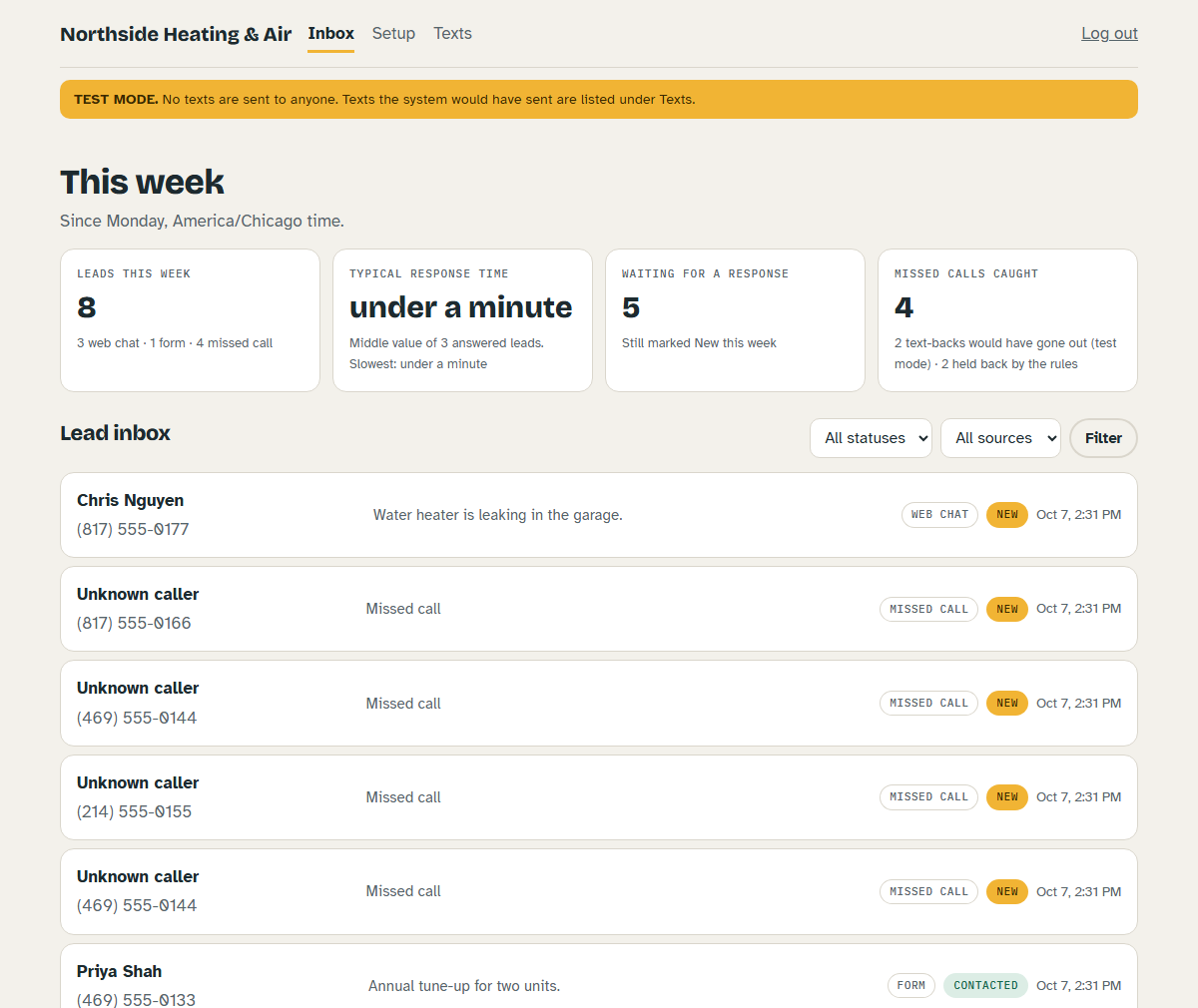
Web chat, form and missed-call leads land in one inbox. You see who's waiting, mark where each one stands, and keep your notes with it.
What's in it
Built for following up, not for data entry
- One list. Leads from your web chat, your form link and missed calls.
- Status. New, Contacted, Booked, Won, Not a fit. Filter by status or source.
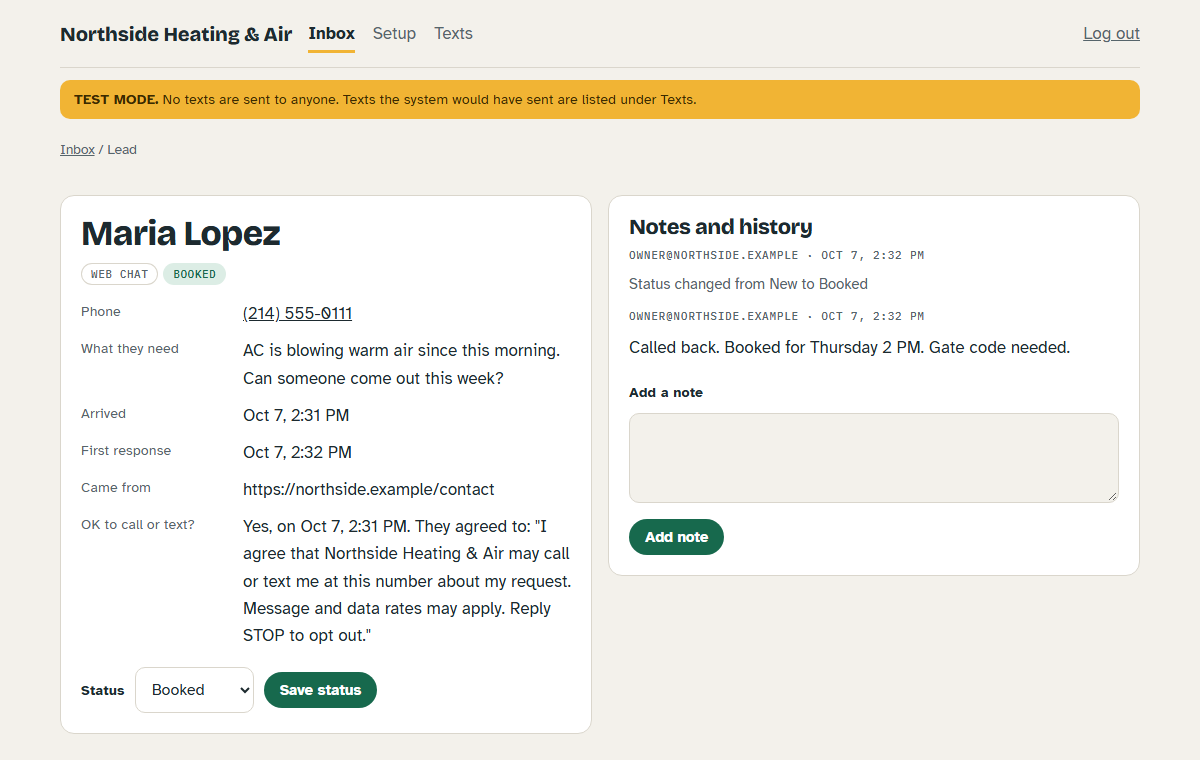
- Notes and history. Your notes, status changes and the customer's text replies in one timeline.
- Consent on record. Whether they agreed to calls or texts, the exact wording, and when.
- Email alerts. An email when a lead arrives, with no customer details in it.
- This week at a glance. Leads by source, typical response time, who's still waiting, missed calls caught.
- Your own account. Separate login and separate data for each business.
Questions
Lead inbox questions
Is this a full CRM?
No. It is a lead inbox: who contacted you, what they need, where it stands and your notes. It doesn't do invoices, scheduling or marketing campaigns.
Can other businesses see my leads?
No. Each business has its own login and its own separate data. One business's leads cannot be opened from another's account.
How do I know a lead came in?
You get an email saying a lead arrived, with a link to your inbox. The email never contains the customer's name, number or message.
What does "response time" mean on the dashboard?
The time from a lead arriving to the first thing you do with it: changing its status or adding a note. The dashboard shows the middle value for the week.
Can I export my leads?
Not yet. Export is not built.
Can a business use it today?
It works today with test businesses on our server. No real business is using it yet, and accounts are set up by us, not by sign-up.
Didn't find your answer? Write to [email protected], or see how it works.
Ready when you are.
Request setup now. No payment is taken until the features in your plan work.
One practical guide a week.
Short, plain guides for local businesses on missed calls, follow-up and leads. No sales emails. Read the guides.